













Ghost Medical Client Tools: How to Use FRAME Markup
Description
FRAME.IO is an incredibly powerful, yet exceptionally intuitive content review system. This is the space where you, your team and our producers work together to review and revise visual assets on your project at Ghost Medical Medical Animation and Surgical VR. Board Member, Tim Yocum, and CEO, Laura Schulz, walk you through the collaborative client process that is followed at Ghost medical in less than 3 minutes.
0:00 – Introduction to Ghost Production’s Client Tools
0:25 – How to use FRAME Content Review System
0:45 – How to gain access to FRAM
1:26 – Project Review Functionality
1:38 – How to critique your in-process project
2:40 – How to inform our studio of needed changes
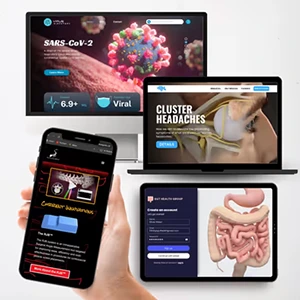
At Ghost Medical We have some of the most highly trained medical illustrators, skilled 3D computer animators and gifted virtual reality developers. But you don’t need to be a tech genius to use our client tools.
Here are the steps in case you missed it –
To get into FRAME to start reviewing the content we made for you – Click into your email to find your invitation to log in. If you are unable to find an email by FRAME, check spam.
Click “Join Project” and set a secure password.
In your FRAME Space, the folder called “Client review” will be where we collaborate to critique your project.
When you see something that you want changed, type your comment in the box below the video relevant to the proper time on the slider.
Draw on the movie by clicking the paint-brush icon.
Tap Send and you’ll see your critique logged in the right-hand side of the screen.
After you finish completing all of the changes you wanted to make, change the status of the project from “Needs Review” to “In Progress” to let us know it is ready to be revised.
Ghost Medical will process your request and find the most efficient way to meet your needs to provide a result that you will like.
Produced by: Ghost Medical — Medical Animation
Client

Ghost Productions Inc.
Share this content:
Disclaimer
The animations showcased by Ghost Medical are intended solely to demonstrate our portfolio work and are not intended to be labeled as reliable FDA claims in the healthcare market. Surgeons and healthcare professionals should exercise caution and conduct their own research before relying solely on the information presented in the animations. Please be aware that while our animations strive to accurately represent medical concepts and technologies, they may not always reflect the current state of the medical industry.
Bibliography
Bibliography
Post Type
Blog
Page Name
How to Use FRAME Markup – Ghost Medical Client Tools
Author
Ghost Productions, Inc.
Publisher
Ghost Productions, Inc.
Date Published
Apr 26, 2022
Citation Styles
AMA Style
Ghost Productions, Inc. How to Use FRAME Markup – Ghost Medical Client Tools [Blog]. Ghost Productions, Inc. Published Apr 26, 2022. Available at https://ghostmedical.com/video/ghost-medical-client-tools-how-to-use-frame-markup/
APA Style
Ghost Productions, Inc. (Apr 26, 2022). How to Use FRAME Markup – Ghost Medical Client Tools [Blog]. Ghost Productions, Inc. Retrieved from https://ghostmedical.com/video/ghost-medical-client-tools-how-to-use-frame-markup/
MLA Style
Ghost Productions, Inc. “How to Use FRAME Markup – Ghost Medical Client Tools.” Ghost Productions, Inc., Apr 26, 2022, https://ghostmedical.com/video/ghost-medical-client-tools-how-to-use-frame-markup/. [Blog]